
Field sales visit app
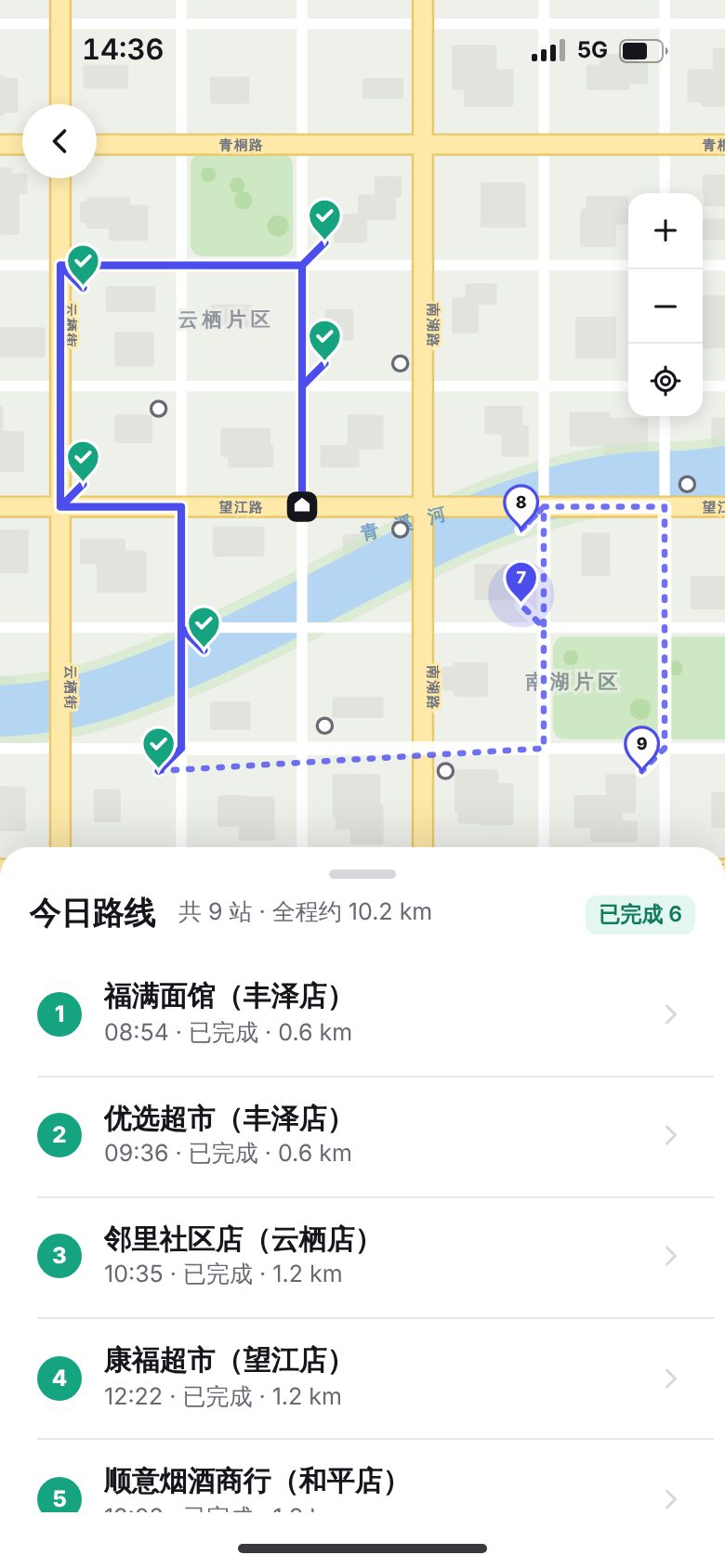
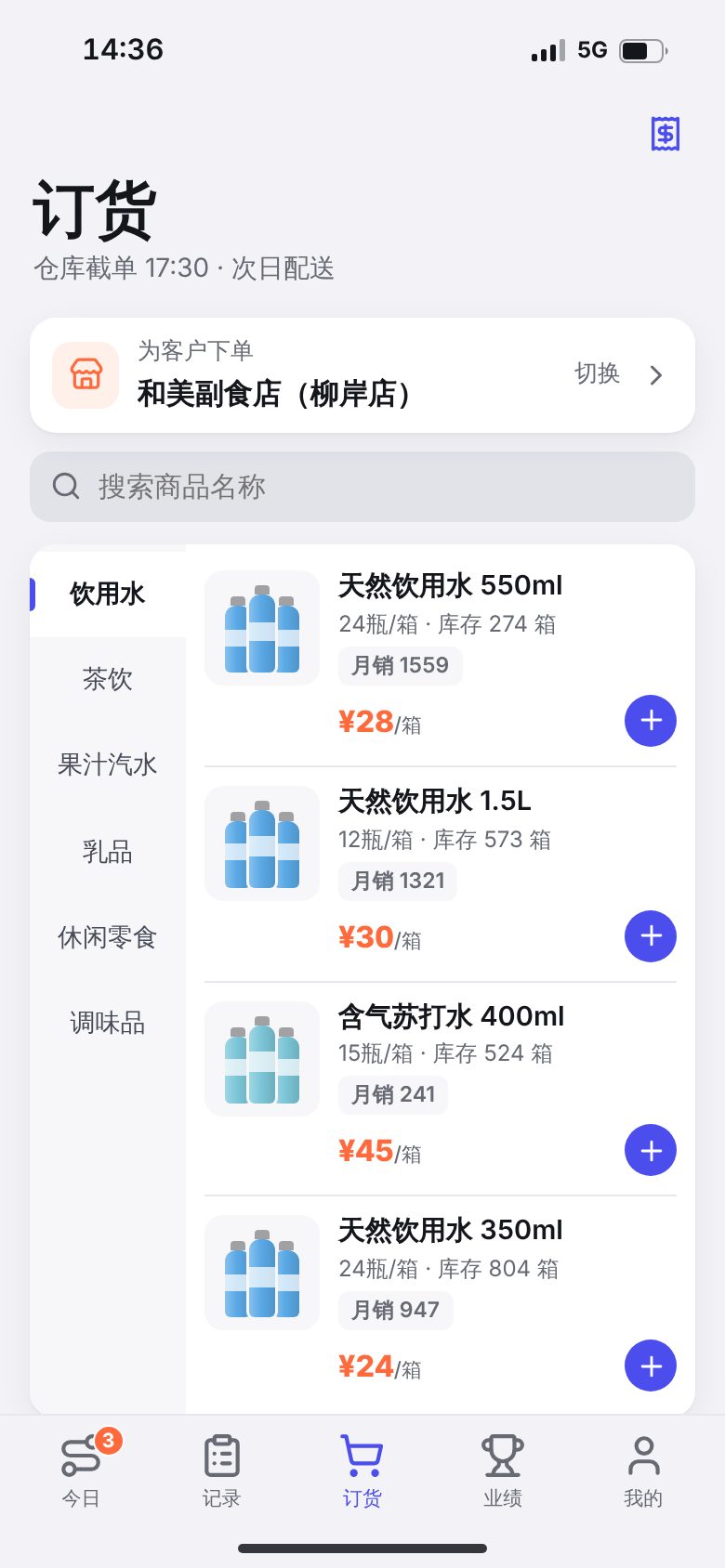
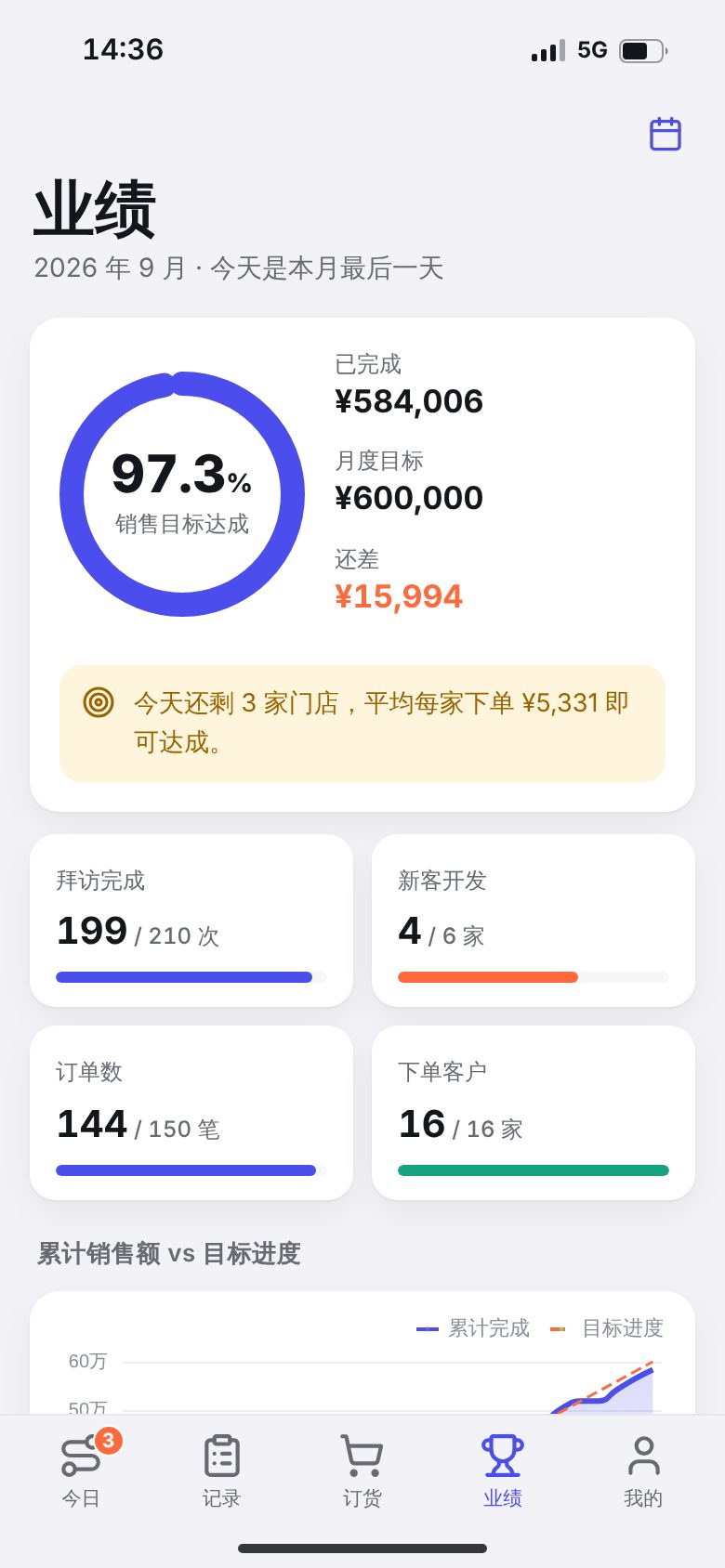
For distributors of fast-moving consumer goods, food and beverages, or building materials whose field sales teams visit retail stores along set routes. The demo shows a map of today's visit route, geofenced location check-in with watermarked photos, shelf display checks and stock counts, on-site ordering, sales target progress, and a supervisor back office with team route playback and review of irregular check-ins. Order status follows cutoff time and next-day delivery rules, and the sales, visit and order data in the app match the supervisor back office.
Features
Design and technical highlights
- A complete store visit flow
Check-in and photo, display check, stock count, ordering and check-out unlock one step at a time. After a stock count, one tap creates a restock order based on safety stock. Once the order is placed, the app returns to the visit for check-out, and the route, records and sales figures update.
- Check-ins built to prevent cheating
Check-in uses a 200 m geofence. Outside the fence, the rep must choose a reason and the check-in is flagged. The camera adds a watermark with the time, store and location, so old photos from the gallery cannot be used.
- Custom city map and route playback
Roads, rivers and districts are all drawn in SVG. The app shows completed and planned route segments, and the map can be dragged and zoomed. In the supervisor back office, managers can drag the timeline or play back the day's routes for all 7 team members. Flagged check-ins are marked red on both the map and the list.
- Native app feel
iOS large-title navigation, push and back transitions, swipe from the left edge to go back, pull to refresh, bottom sheets that close with a downward swipe, and a full dark mode. Data is saved on the device, so the state is kept after a refresh.
Screenshots
More mobile screens
Key screens beyond the cover, all 390 × 844 phone screenshots, swipe left or right to view.
Tell us about your business. Based on this demo, we will suggest a solution and give you a quote range.