
Chronic disease management app
For community health centers, chronic disease management providers and online hospitals. A home-care app for patients with high blood pressure or diabetes and their families. The demo shows blood pressure and blood sugar logs with trend charts, medication reminders and check-offs by time of day, switching between family members, follow-up appointment booking, and follow-up messages and questionnaires from the care team. It also includes a follow-up operations back office covering enrolled patients, follow-up tasks, medication adherence statistics and follow-up visit scheduling. The app only records data and sends reminders. It does not give diagnoses or medication advice.
Features
Design and technical highlights
- Fast entry, strict checks
Blood pressure can be entered with plus and minus controls or read from a simulated Bluetooth monitor. Entries are checked for range and logic; for example, diastolic pressure cannot exceed systolic. When a reading is outside the doctor's target, the app only suggests re-measuring and lists where to get care. It makes no medical judgment.
- Trend charts with doctor-set targets
Switch between 7, 30 and 90 days, and filter by morning, bedtime, fasting or after meals. Dashed lines or shaded bands show the target range set by the patient's doctor, along with the share of readings within target. Readings can be tagged with notes or deleted, and compiled into a monthly report for the doctor.
- One account for the whole family
Readings, medication plans and appointments for the user and each parent are managed separately, with one-tap switching. Family members get an alert when a dose is missed, and a refill reminder when medication runs low. A 7-day medication calendar and a 14-day completion chart are also included.
- Closed-loop appointments and follow-ups
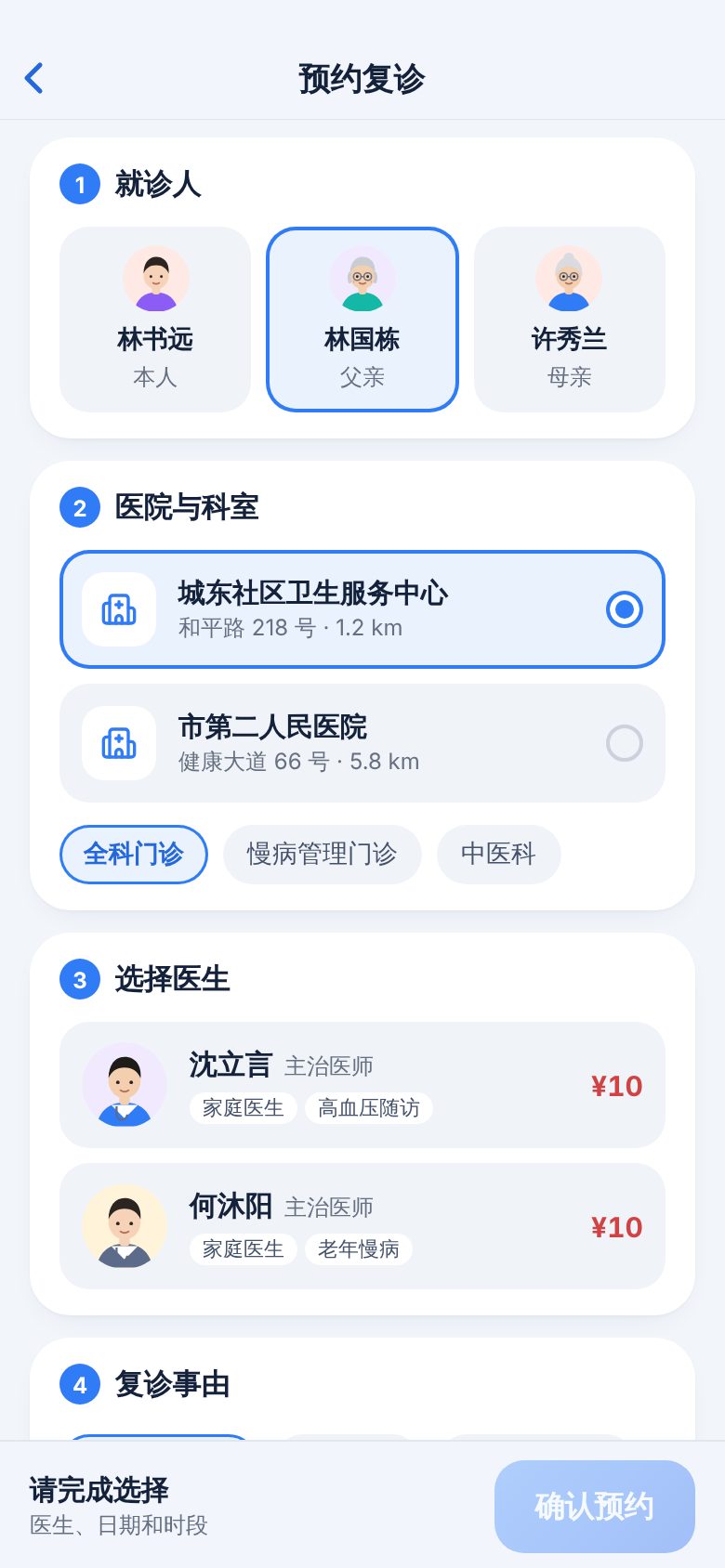
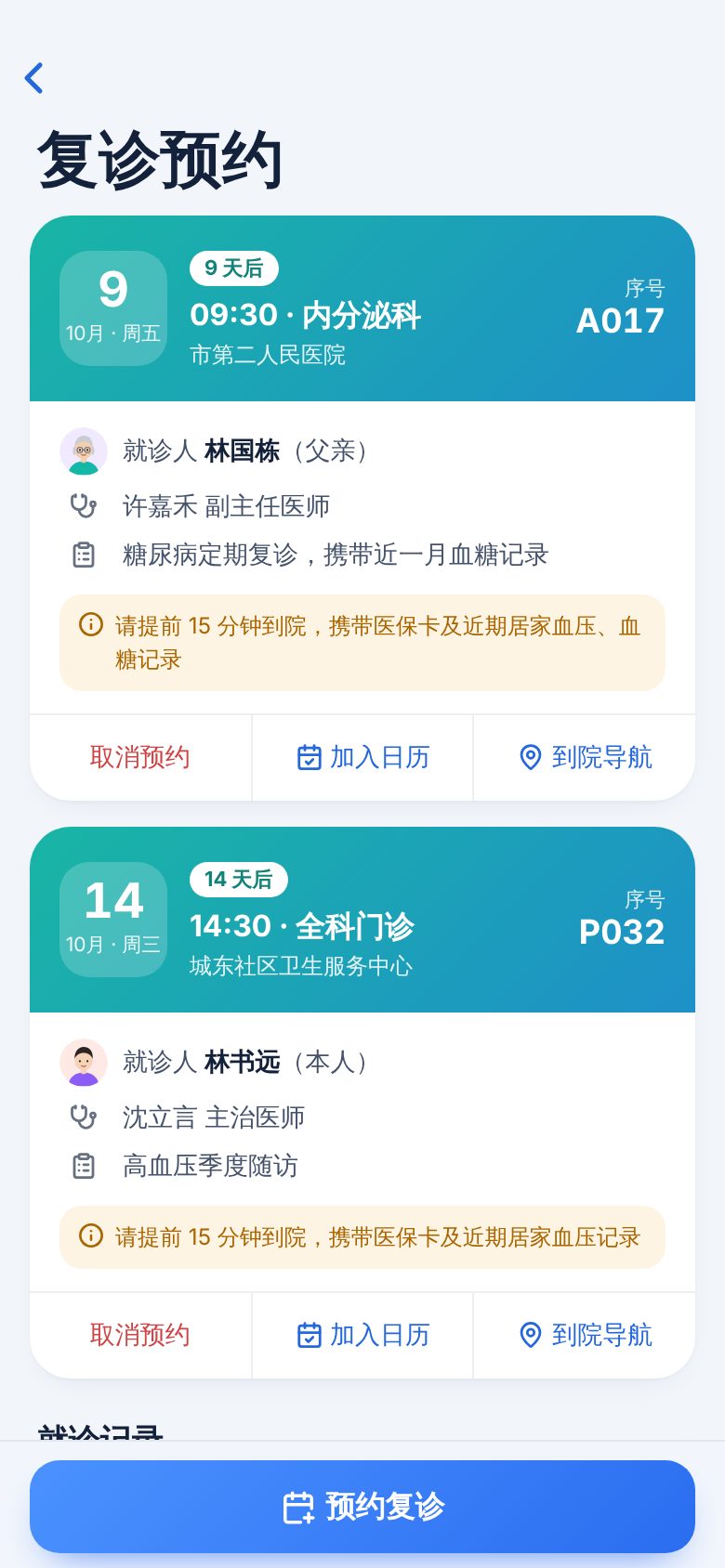
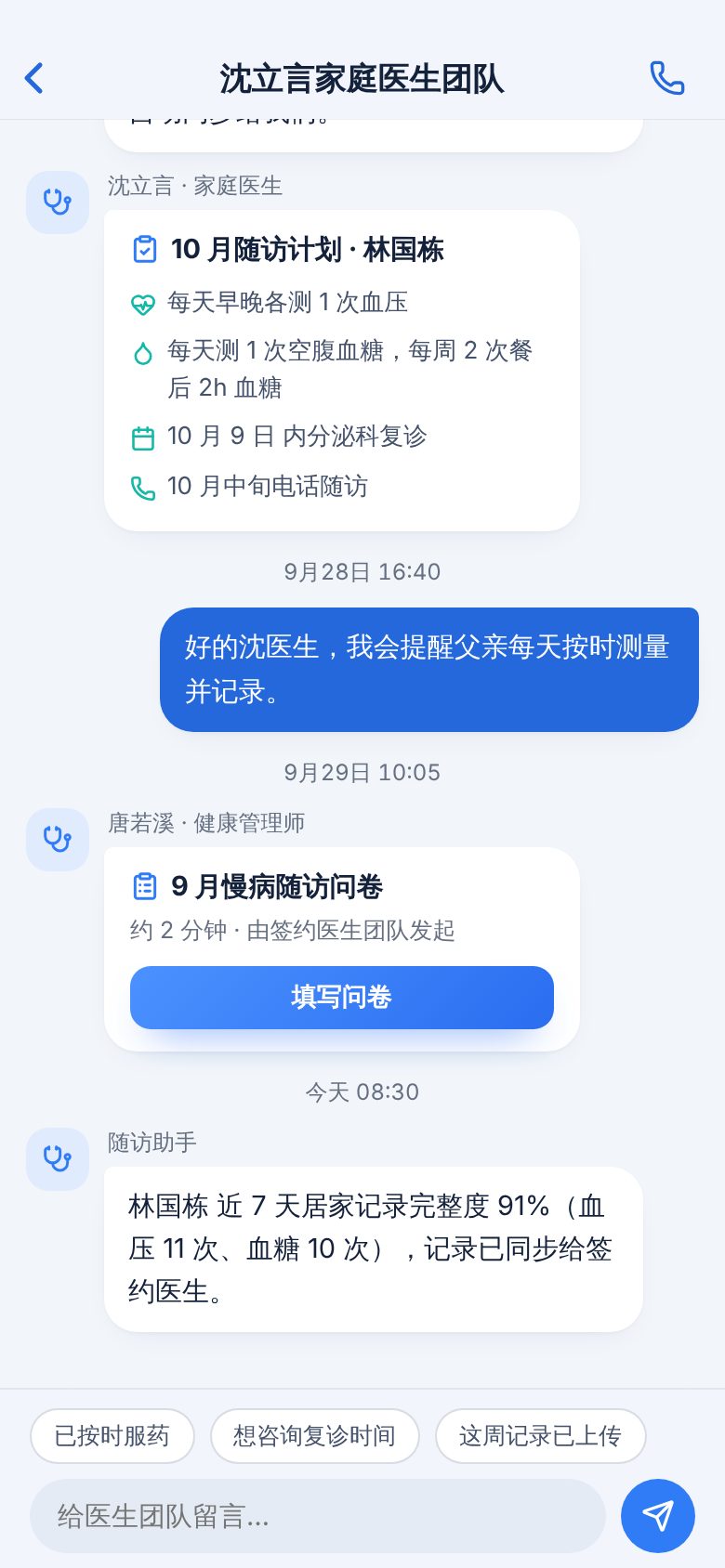
Booking goes step by step: patient, hospital department, doctor, date and available slot. Duplicate bookings on the same day are blocked, and bookings can be canceled. Follow-up plans, questionnaires and health education articles from the care team are viewed and handled in Messages. The back office has a patient follow-up list with filtering, search, sorting and paging, and staff can start a follow-up from it. Appointment schedules show booked slots by doctor and date; staff can add slots or cancel a session and notify booked patients. On narrow screens the schedule is viewed one day at a time. The adherence page shows each patient's completion rate, missed doses over the last 7 days and remaining medication.
Screenshots
More mobile screens
Key screens beyond the cover, all 390 × 844 phone screenshots, swipe left or right to view.
Tell us about your business. Based on this demo, we will suggest a solution and give you a quote range.