
Expense and travel SaaS (Expense Cloud)
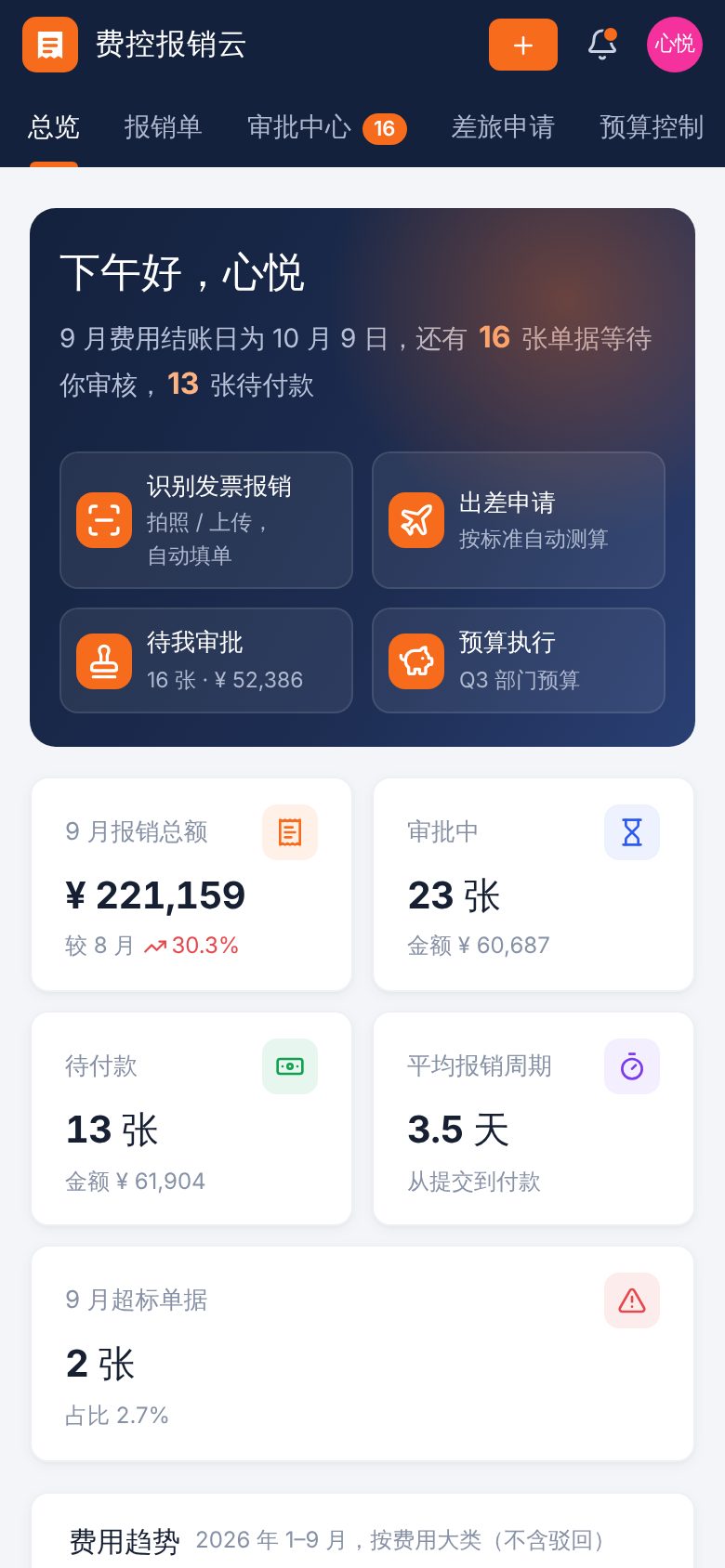
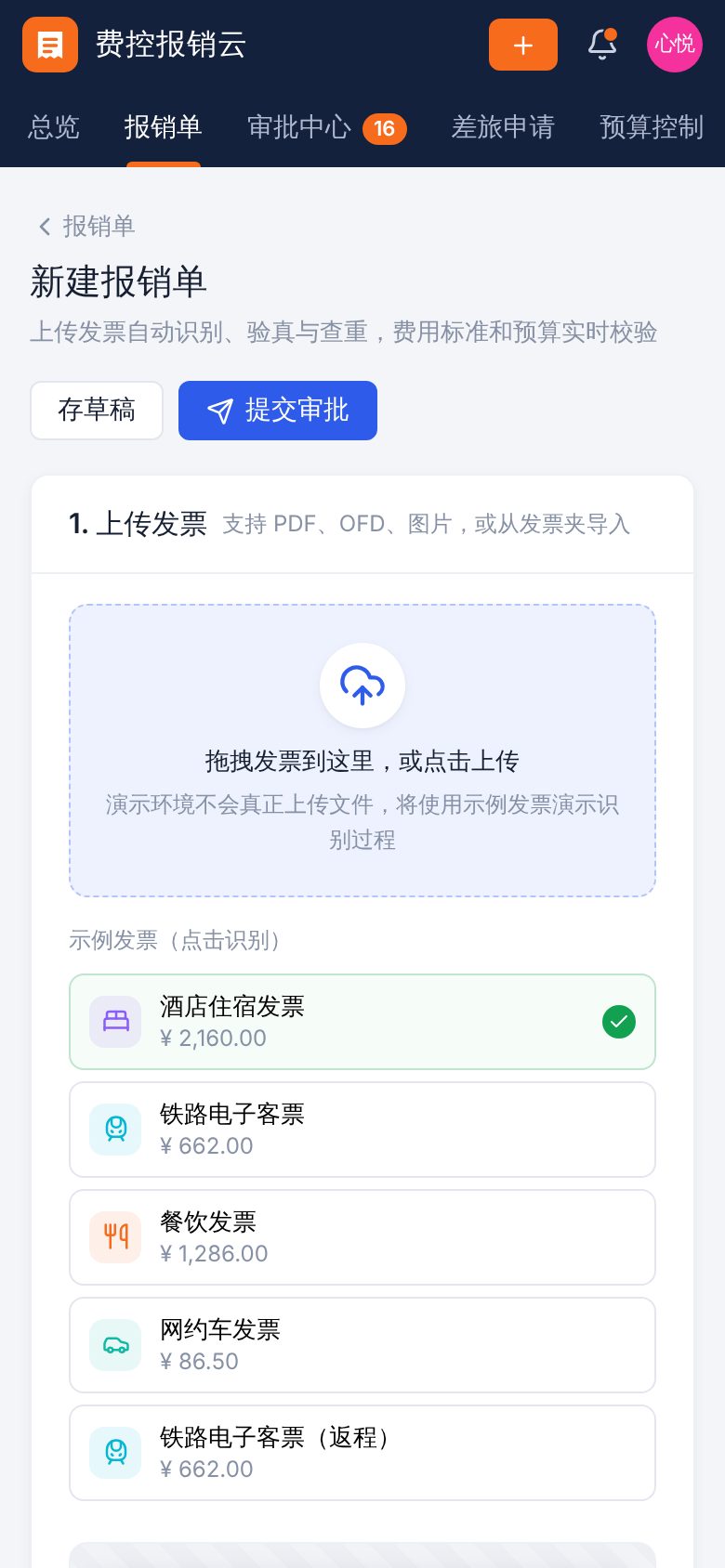
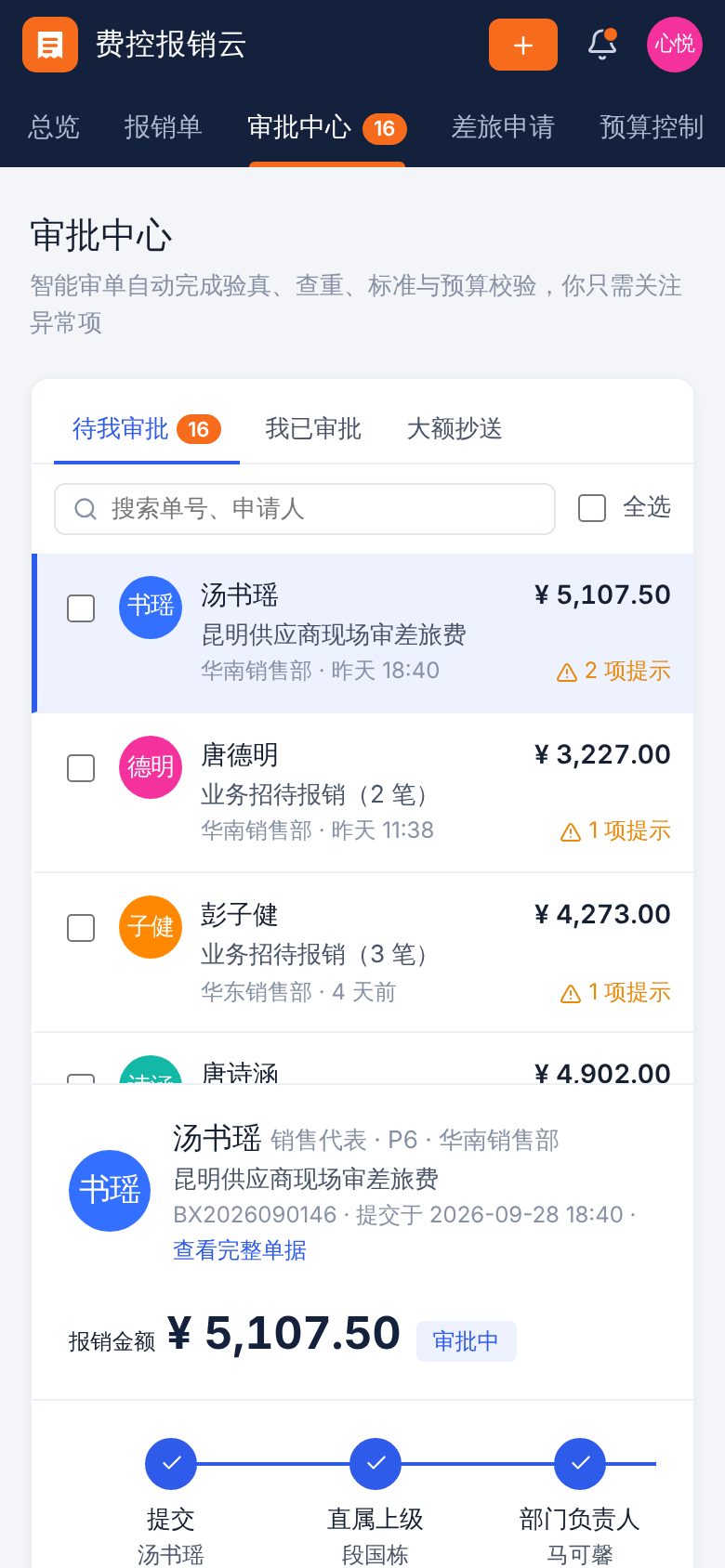
For mid-sized and large companies and groups with sales, marketing and field teams that need central control of travel and day-to-day expenses. The demo shows invoice recognition with auto-filled forms, invoice verification and duplicate checks, real-time checks against expense policies and department budgets, multi-level approval and batch payment, travel request estimates, plus spending analysis, approval workflow setup, switching between companies, seat usage and activity logs. In the demo documents, each approval step is timestamped after the submission and the previous step, and document numbers follow month and submission order. In mobile browsers, expense reports and travel requests are shown as cards.
Features
Design and technical highlights
- From invoice recognition to auto-filled claims
Click a sample invoice or drag one in to see the full process: scanning, field detection, verification and duplicate checks. Expense lines are created and categorized automatically. Duplicate invoices are blocked, and hotel costs above the limit for the employee's level and city require an explanation.
- Smart review shows only exceptions
During approval, each item is checked for invoice validity, duplicate claims, company name and tax ID, travel and entertainment policy, and remaining department budget, with exceptions highlighted. Approvers can approve, reject or reassign one claim, or approve in bulk. Claims move to the next step based on amount until the cashier pays.
- Real-time budget use with hard and soft limits
Quarterly budgets are set by department and expense category. Claims under approval reserve budget in real time, and spend rate is compared with time elapsed. Hard-limit categories block submission when the balance is too low. Budget adjustments are validated and logged.
- Configurable approval workflows
Add or remove approval steps visually and set amount thresholds. Simulate the route and specific approvers a claim will go through by amount and department. Changes are written to the activity log.
Screenshots
Mobile layout
How the same pages look on a 390 × 844 phone screen, swipe left or right to view.
Tell us about your business. Based on this demo, we will suggest a solution and give you a quote range.