
Restaurant scan-to-order Mini Program
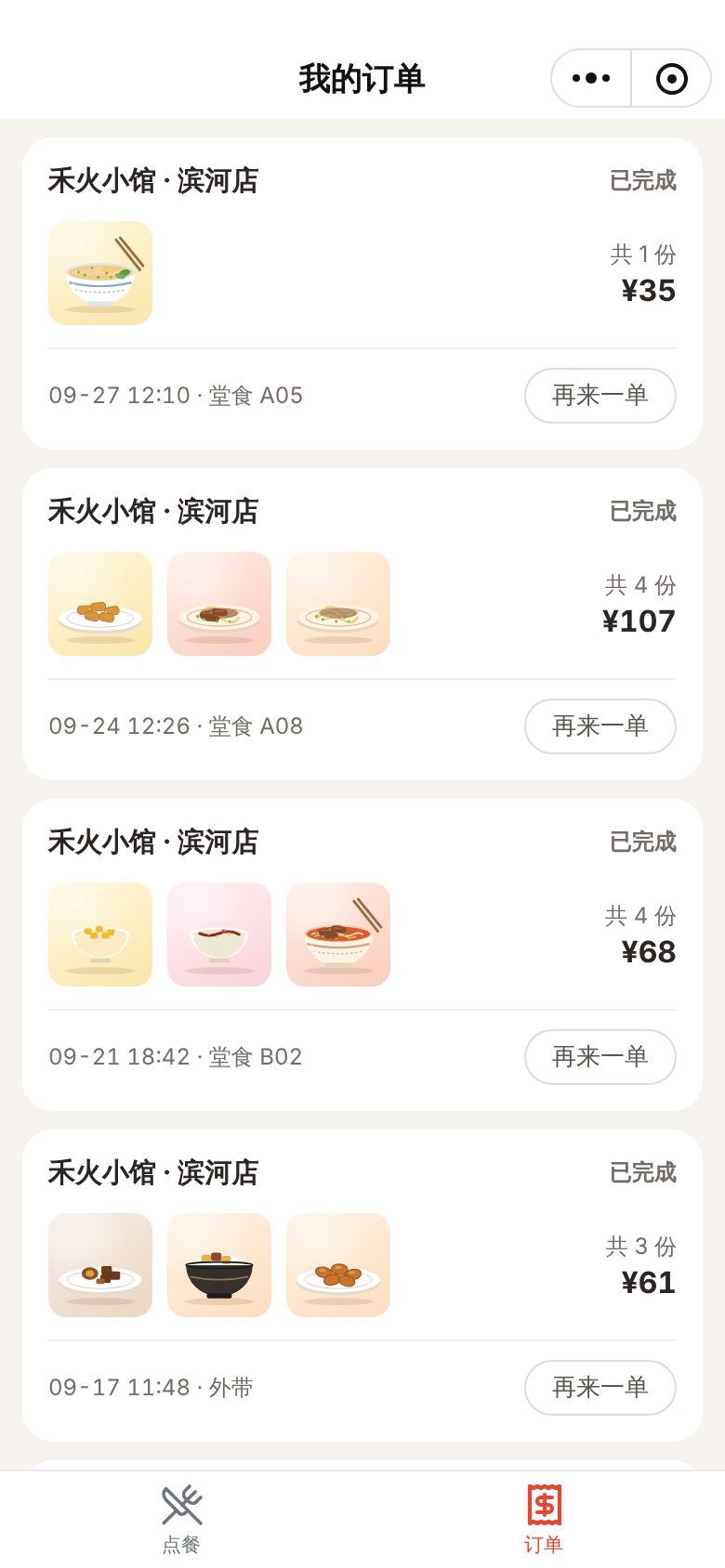
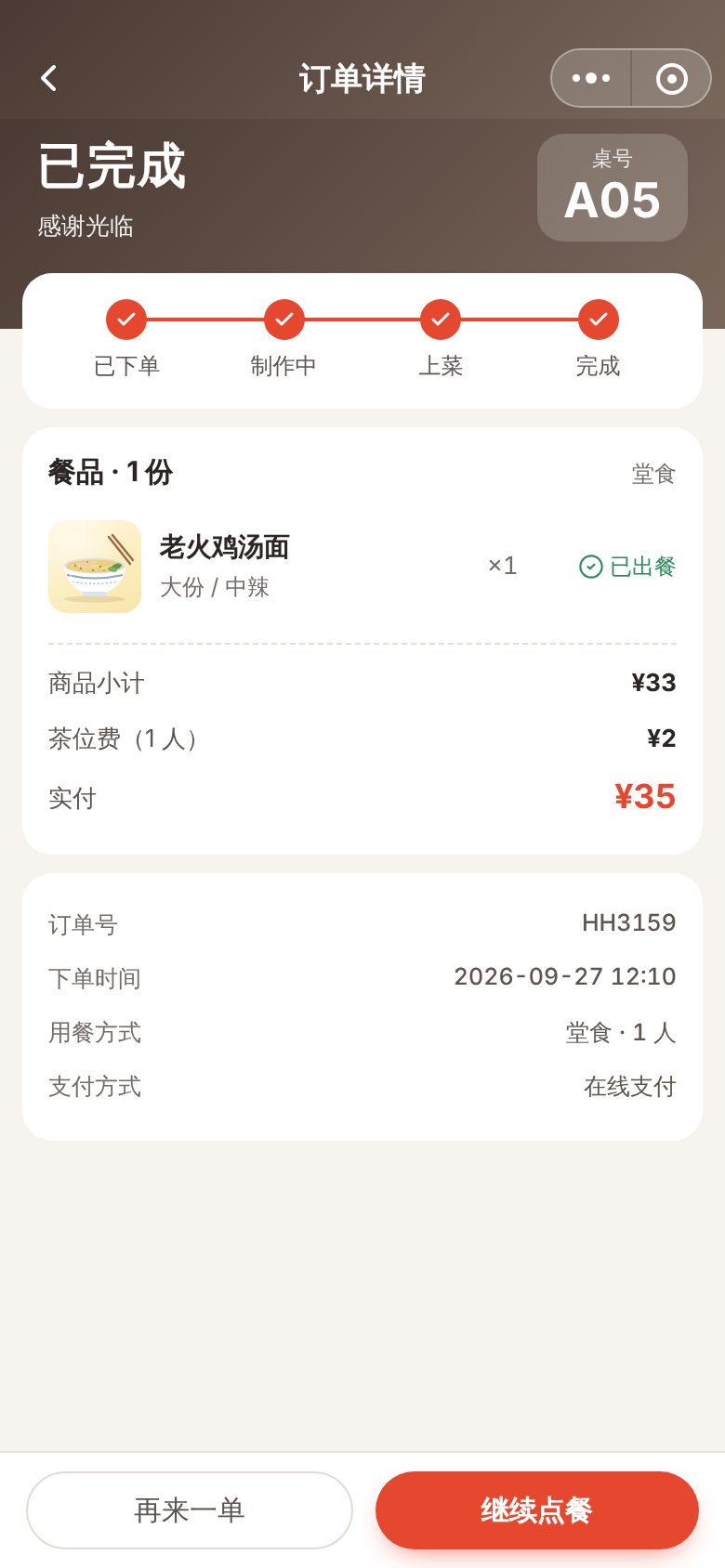
For dine-in noodle shops, casual eateries, tea shops and similar restaurants and chains. Guests scan the table code to order, and orders go straight to the kitchen. The demo shows a menu with linked category navigation, options and add-ons, a cart with spend-and-save discounts, ordering with table number and notes, order progress tracking, and a matching kitchen display system (KDS) for marking dishes as served.
Features
Design and technical highlights
- Linked category and menu scrolling
The category list on the left and the menu on the right scroll in sync, with sticky section headers. Adding to the cart plays a fly-in animation and updates a count badge.
- Ordering details that match the restaurant
Price updates with portion size, spice level and add-ons. Table selection shows free and occupied tables, with party size and dietary note tags. Spend-based discounts are applied automatically.
- Front of house and kitchen connected
Orders from the Mini Program appear on the kitchen display right away. As the kitchen checks off dishes and serves them, the customer's phone shows the progress.
- Kitchen display managed by wait time
Tickets show a timer and turn green, yellow or red by wait time. Checking off dishes and serving whole orders can be undone. A summary on the right counts dishes still to cook for prep.
Screenshots
More mobile screens
Key screens beyond the cover, all 390 × 844 phone screenshots, swipe left or right to view.
Tell us about your business. Based on this demo, we will suggest a solution and give you a quote range.